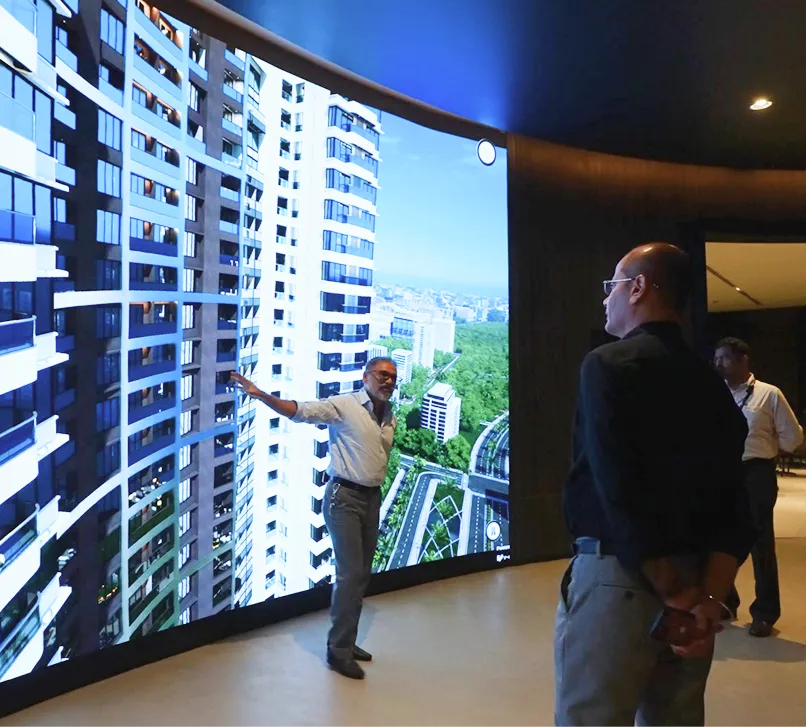
Real estate sales cycles depend on one critical moment: when a buyer first visualizes a property. Paper floor plans fail. 2D renderings don't capture detail. Physical mockups degrade and cost thousands to maintain. Developers lose deals because buyers can't see what they're buying.
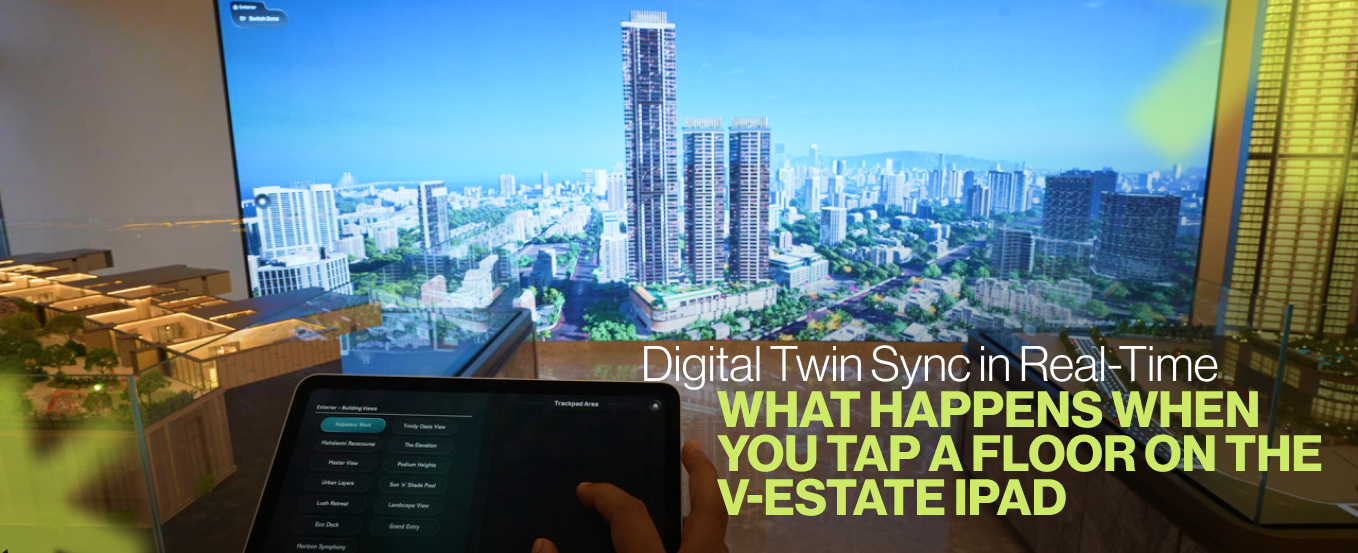
This is where offline interactive technology changes the conversation. Buyers tap a floor on an iPad, and a photorealistic 3D model loads instantly—no internet required. Walls, windows, fixtures, and exterior views appear lifelike. The buyer understands the property in minutes, not weeks.
The Real Problem: Buyers Can't Decide Without Visual Clarity
Static floor plans create buyer hesitation. Layout details blur on paper. Dimensions feel abstract. Window views remain imaginary. Buyers leave confused about spatial flow, natural light, and how furniture fits.
Customization requests spike delays. Buyers ask, "Can the sofa fit here?" or "What color would this wall be?" Sales teams scramble to produce mockups. Revisions pile up. Decision timelines stretch. Leads cool off while you're still explaining.
Marketing teams lack conversion data. Which floor plans attract serious interest? Which customization options matter most? Without clarity, marketing budgets scatter across broad campaigns instead of targeting high-intent buyers.
The Technical Reality: Offline Activation Solves On-Site Sales
Offline systems remove Wi-Fi dependency. Sales offices don't require reliable internet infrastructure. Data syncs locally via USB. Models preload onto iPad storage. Updates happen in minutes, not cloud sync delays.
Device performance matters more than cloud servers. iPad Pro hardware handles photorealistic 3D rendering at 60 FPS. Touch controls respond instantly. Buyers rotate, zoom, and customize without lag. The experience feels native, not streamed.
Battery life covers full sales shifts. 8-hour operation means no mid-day charging interruptions. Developers outfit offices with simple USB charging docks. One device serves multiple agents across a sales day.
How Floor Tap Activation Works in Practice
Buyers interact directly with the iPad display. A single tap triggers the digital twin to load—base layout appears first. Furnishings overlay immediately. Exterior views integrate next. Lighting adjusts to match current time or selected weather conditions.
Rendering layers activate sequentially. This prevents performance bottlenecks. GPU processing stays smooth. Frames remain consistent. Buyers see photorealistic detail: wood grain texture on flooring, tile patterns on walls, realistic glass reflections on windows.
Touch gestures control the experience. Swipe to rotate views. Pinch to zoom on specific areas. Tap hotspots to trigger amenity information. The interface feels intuitive—no training required.
Customization Without Mockup Production
Paint colors shift instantly. Beige walls transform to slate gray with a single tap. Buyers test multiple options in seconds. Sales agents note preferences in real-time.
Furniture sets rotate in and out. Sofas, dining tables, cabinets, and decorative pieces appear precisely scaled. Buyers visualize exact configurations. Layout questions get answered on-site, not via email threads.
Window views adapt to selected conditions. Morning light, afternoon sun, or sunset glow each show how natural lighting impacts the space. Weather effects simulate rain, clear skies, or seasonal changes. Buyers understand how the property feels across seasons and times of day.
Dynamic lighting controls adjust ambiance. Neutral lighting, warm tones, or accent lighting each demonstrate mood and livability. Buyers make emotional connections to spaces, not just evaluate square footage.
Amenity Mapping: Context Beyond Unit Walls
Floor taps extend to location value. Interactive overlays show nearby transit hubs, retail centers, hospitals, parks, and schools. Buyers assess connectivity and lifestyle in seconds.
Distance and commute data load on demand. Tap a school icon—enrollment rates, ratings, and travel time appear. Tap a metro station—frequency and route information display. Buyers verify location advantages without leaving the sales office.
Future infrastructure appears on maps. Upcoming metro lines, highway expansions, or commercial developments highlight growth potential. Buyers understand neighborhood trajectory, not just current conditions.
Project pins scale from block to city level. Developers customize branded markers. Buyers see current projects relative to the neighborhood. Location context builds confidence in property investment.
Lead Intelligence from Interaction Data
Every tap generates actionable data. System logs track which floor plans users spend time exploring. Customization choices reveal preference patterns. Session duration indicates interest intensity.
Sales dashboards consolidate visitor behavior. Marketing heads access real-time reports. Which units generate longest engagement? Which customization options drive decisions? Data identifies high-intent buyers before they leave the office.
Offline sync to cloud maintains privacy. USB exports keep sensitive visitor information on local devices. Developers analyze trends post-visit. Data security stays intact while insights surface.
Conversion analysis connects visits to closings. Which floor plans convert at highest rates? Which customization patterns precede purchase? Marketing budgets shift to proven high-performers.
Cost and Operational Efficiency
Physical mockups disappear from budgets. Traditional scale models cost tens of thousands per project. Maintenance requires constant updates. Digital twins replace them entirely.
IT infrastructure costs drop. No server maintenance. No cloud licensing fees during demos. One iPad serves multiple sales agents across multiple properties.
Sales cycles compress measurably. Buyers who visualize on-site decide faster than buyers reviewing materials offline. Lead quality improves. Buyer expectations align with actual properties. Repeat purchase consideration increases.
Training timelines shrink. Sales teams learn the interface in 30 minutes. No complex software training cycles.
Scaling Across Property Portfolios
Single iPads handle 50+ projects. Simple menu switching between properties. No device multiplication necessary.
Batch updates load overnight. New towers, added units, or revised finishes update via single file transfer. Sales teams activate changes next morning. No downtime during office hours.
Multi-language support fits regional markets. Hindi, Tamil, or regional language overlays adapt interfaces. International portfolios operate seamlessly.