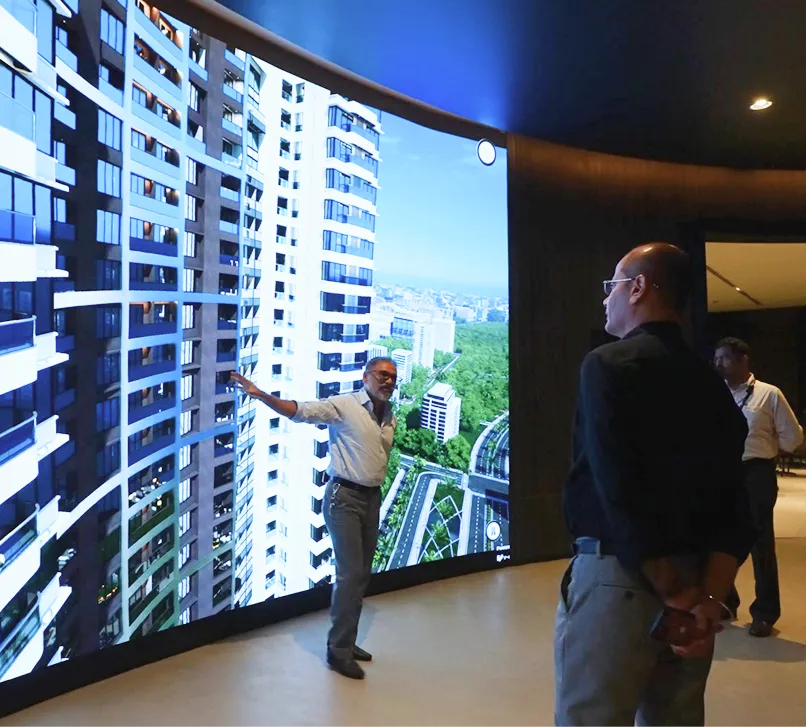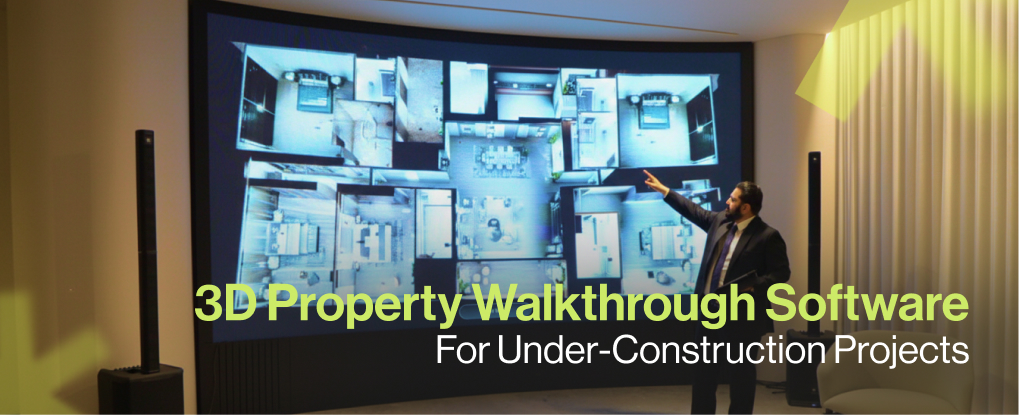
Under-construction homes lose deals to buyer hesitation. Architectural drawings and static renders fail to communicate finished reality. Sales teams repeat the same explanations. Buyers delay decisions. Discounting becomes the only lever to close deals.
This operational gap costs developers both margin and velocity.
Buyer uncertainty slows under-construction sales
Pre-construction inventory sells on expectation, not evidence. Buyers cannot assess spatial quality, finishes, or natural light from floor plans. Site visits to unfinished buildings amplify doubt instead of resolving it.
Common friction points include:
Inability to visualize final interiors from structural shells
Confusion over material quality and finish differences
Uncertainty about window views and orientation
Anxiety around amenity placement and proximity
Difficulty comparing upgrade options without physical samples
Sales cycles stretch. Follow-ups multiply. Conversion rates drop.
Offline activation replaces guesswork with interaction
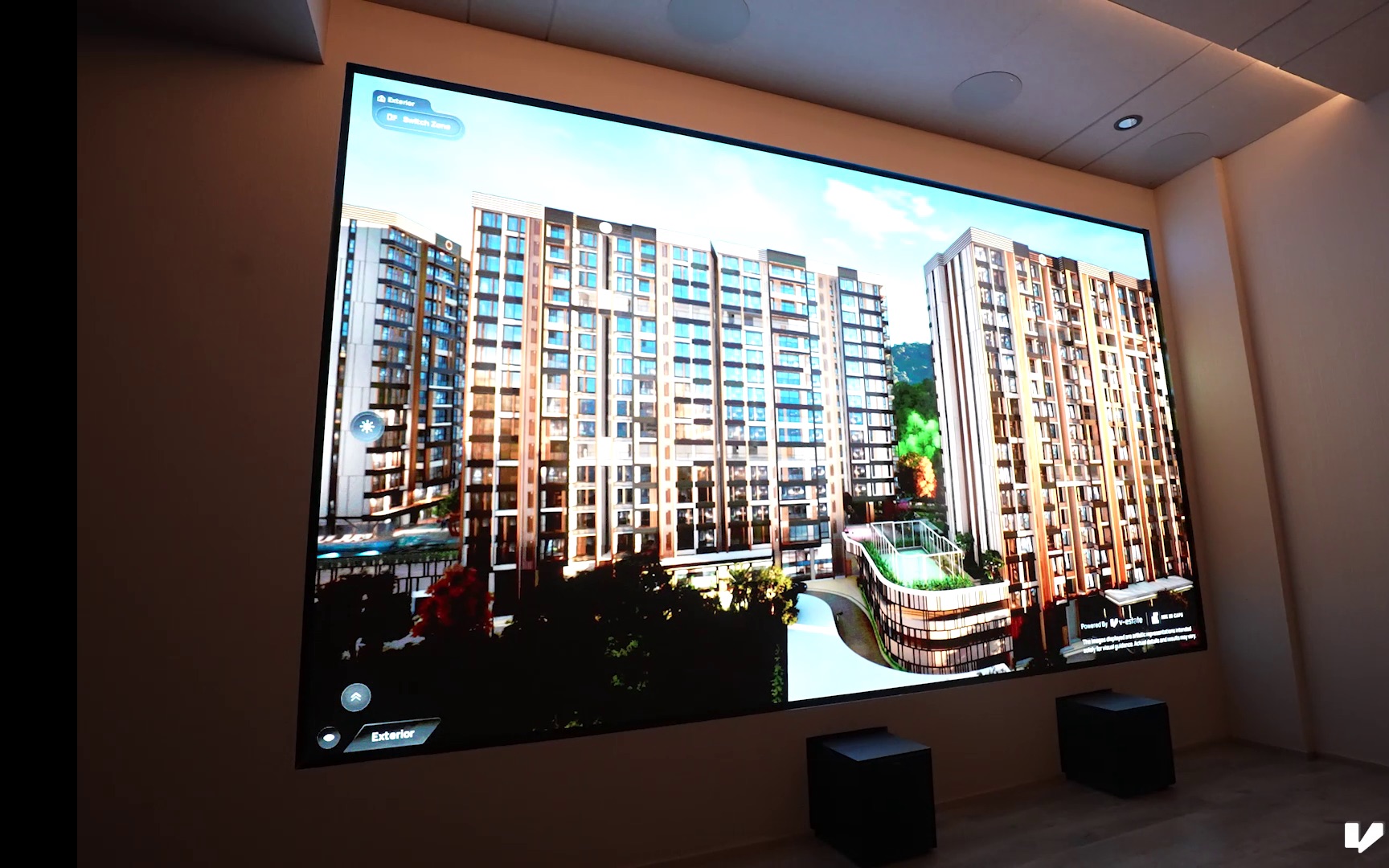
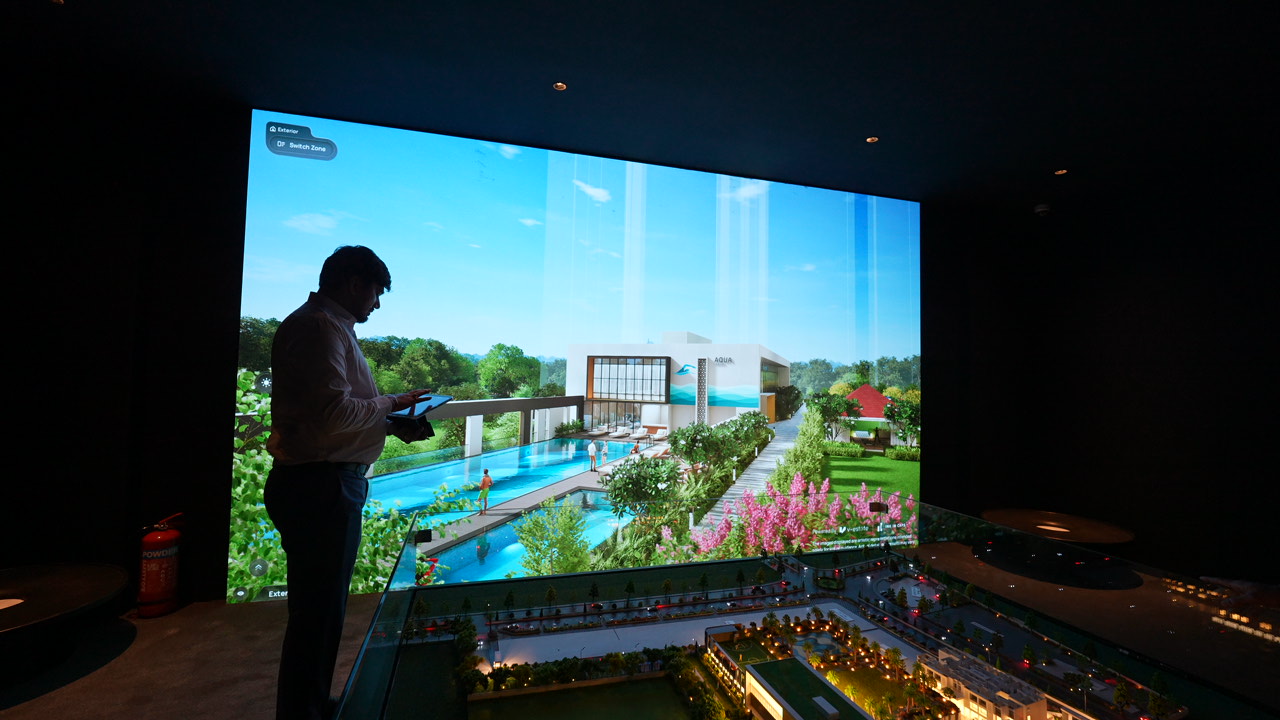
Photorealistic 3D property walkthroughs deployed at sales centers eliminate imagination dependency. V-estate runs interactive demos on touchscreens, kiosks, and large-format displays without internet reliance.
Buyers control the exploration. Sales teams guide with data, not promises.
This shifts the conversation from description to demonstration.
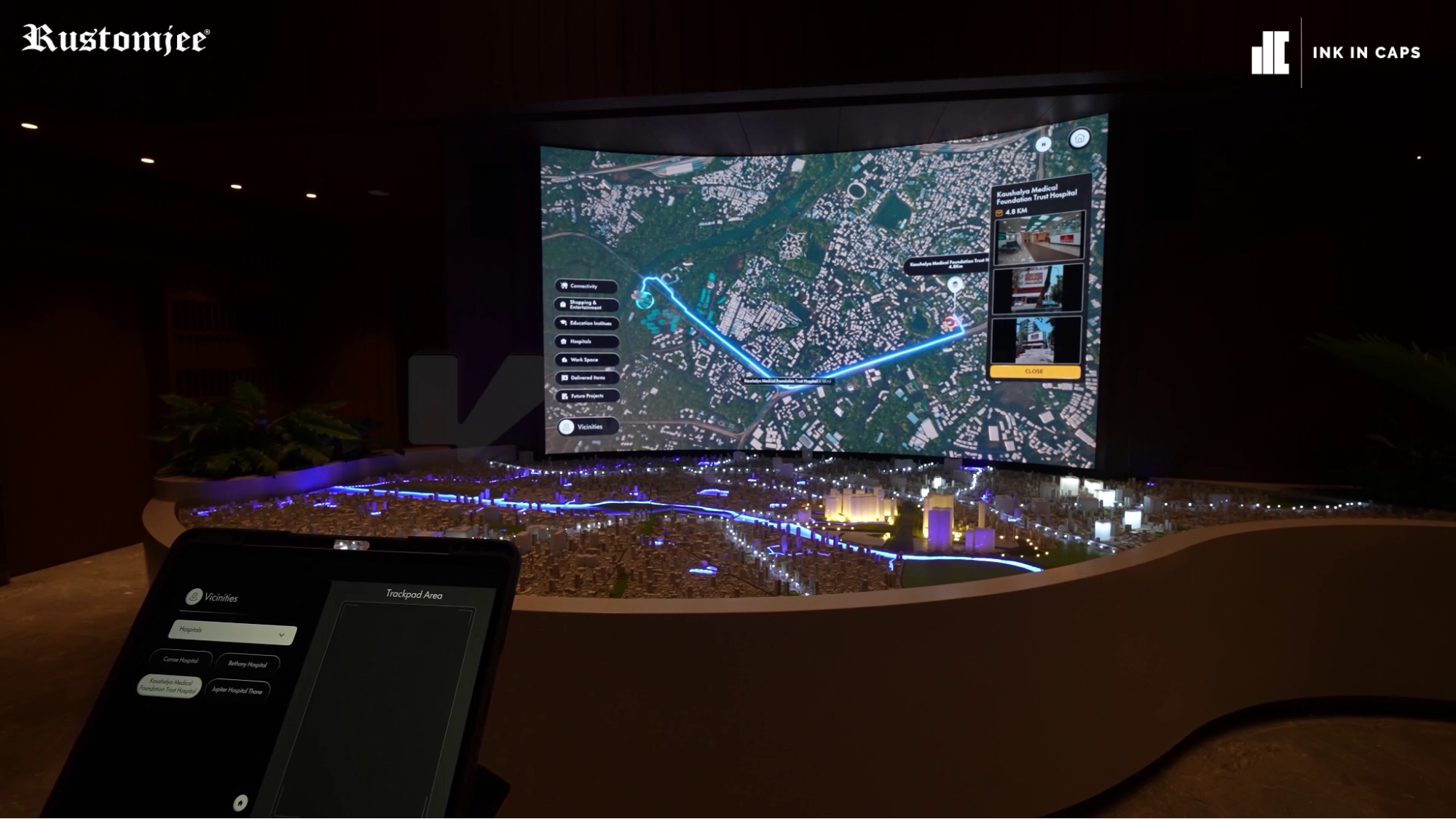
Operational deployment at sales centers
V-estate functions as an offline activation tool, not an online listing add-on. Developers install it at physical locations where high-intent buyers engage with sales staff.
Primary deployment environments:
Sales offices with dedicated demo stations
Model home kiosks for self-service exploration
Site activation zones during foundation and finishing milestones
Developer roadshows and property expos
Offline capability ensures consistent performance regardless of network infrastructure. Demos run smoothly during peak traffic without bandwidth constraints.
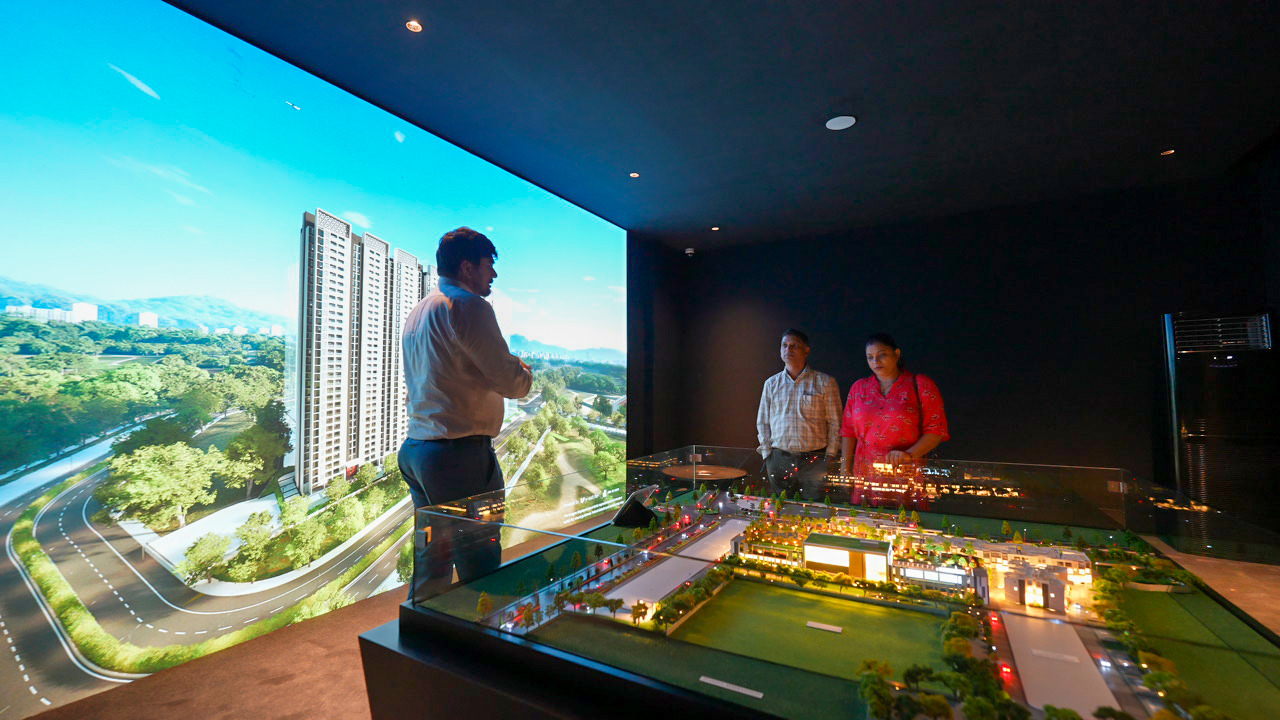
Core functionality for buyer decision-making
Photorealistic 3D models replicate construction specifications and approved finishes. Buyers navigate completed interiors while the physical structure remains under construction.
Interactive material toggles allow real-time comparison between standard and premium finishes. Flooring, countertops, cabinetry, and fixtures switch instantly. Buyers see cost differences visualized, not described.
Dynamic lighting and weather simulation show properties across time of day and seasonal conditions. Morning sunlight angles, evening shadows, and monsoon ambiance become tangible evaluation criteria.
Amenity overlay mapping connects properties to surrounding infrastructure. Schools, hospitals, metro stations, and upcoming commercial zones appear with distance and travel time data.
Window view accuracy presents exact sightlines from specific unit numbers. Buyers assess privacy, orientation, and exposure before signing agreements.
Business metrics that matter
V-estate captures interaction analytics that inform follow-up and pricing strategy.
Tracked data points include:
Demo duration per buyer
Features toggled most frequently
Material preferences by buyer segment
Units explored and revisited
Amenity proximity checks
Sales teams use this data to customize follow-up conversations. CRM integration pushes preference data into post-demo nurture sequences.
Marketing heads refine messaging based on feature engagement patterns. Development leaders identify which upgrades drive highest interest.
Implementation checklist for sales center rollout
Week 1 — Asset intake and fidelity audit Feed BIM/IFC files or approved architectural assets. Verify material specifications match construction drawings.
Week 2 — Demo flow configuration Build 5–7 minute guided demos. Configure 10–15 minute self-explore mode. Package for offline runtime.
Week 3 — Installation and staff training Set up kiosks and touchscreen displays. Run 1–2 hour training sessions with sales staff on demo operation and technical queries.
Week 4 — Pilot with conversion tracking Capture demo-to-lead conversion rate, follow-up engagement within 7 days, and feature toggle frequency.
Small pilots validate impact within one sales cycle.
Addressing developer concerns directly
Accuracy risk: Match 3D assets to construction drawings. Version-tag all displayed specifications. Link walkthroughs to contractual documents to prevent handover disputes.
Cost justification: Offset setup investment through reduced discounting and faster sales velocity. Track time-to-sale reduction and promotional spend decline.
Sales staff adoption: Keep demo scripts focused. Staff buy in when tools shorten their workload and accelerate closures.
Compliance requirement: Ensure all material specs, timelines, and layouts carry audit trails for legal traceability.
Practical use cases at activations
Sales center scenario: Buyer toggles flooring from vitrified tiles to Italian marble. Price difference displays instantly. Upgrade conversion happens during demo, not follow-up.
Site open day: Kiosk shows sunrise views from 12th-floor corner units. Buyers compare orientation impact on natural light without visiting unfinished floors.
Handover preparation: Buyers review final fixture placements in 3D walkthrough. Sign-off accelerates. Post-handover complaints decrease.
Expected business outcomes
Lead conversion increase through reduced visualization uncertainty. Buyers make confident decisions when they interact with finished interiors before construction completes.
Time-to-sale reduction as decision friction drops. Fewer site visits required. Follow-up cycles shorten.
Lower promotional dependency when buyers assess value through interaction instead of discount incentives.
Higher retention clarity as pre-sale expectations align with delivered specifications. Warranty claims and handover disputes decrease.
Pilot strategy for development leaders
Start with one building block in a high-traffic sales center. Run for four weeks. Measure demo-to-lead conversion, average demo duration, and follow-up engagement rate.
Use pilot data to:
Refine upgrade packaging based on toggle frequency
Adjust pricing for high-interest units
Update follow-up sequences with preference data
Train additional sales centers based on conversion lift
Next step: Prepare BIM or approved architectural assets. Allocate one week for pilot setup. Tie pilot success to conversion KPIs, not vanity metrics.
Under-construction projects need controlled offline activations. V-estate converts abstract promises into concrete buyer decisions through photorealistic interaction at sales centers.
Assess a live pilot. Collect metrics. Scale based on conversion data.